
Instant Casino review · Canada · 2026
Instant Casino mobile access: browser and home-screen shortcut for Android and iOS
 Author: Julia Jul
The instant casino app, in practice, is the mobile website: open it in your phone’s browser and you get the casino, live dealer tables and the sportsbook. On Android and iOS alike, the sensible route is the browser plus a home-screen shortcut. An APK is an Android file format, so it is no use on an iPhone, and you do not need one to play from your phone at all.
Is there an Instant Casino app?
Not in the sense of a separate package you have to hunt down. Access runs through the browser: you open the site on your phone and use the same menu sections. If you see a download link on some third-party page promising otherwise, skip it. Your time is better spent on setting up an account.
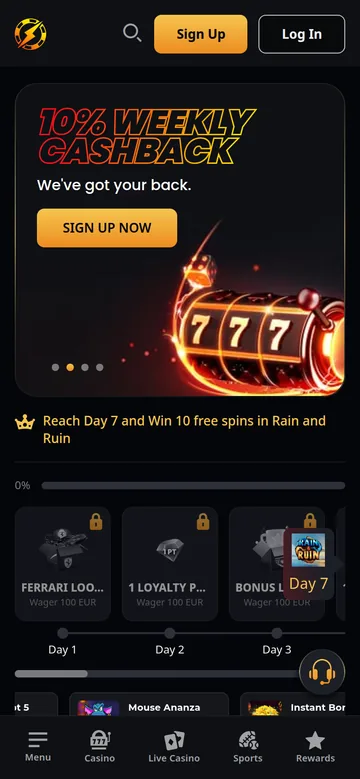
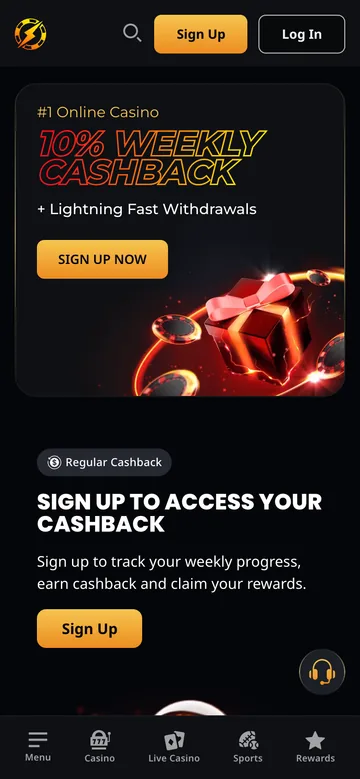
Once you are in, the menu covers Casino, Live Casino, Sportsbook and Jackpots, with Cashback and the VIP Club listed alongside. Our Instant Casino guide for Canada shows how these sections fit together if you want a map before you start.
In short
Three terms get mixed up constantly. A native app is software installed from a store. An APK is the installation file Android uses for such software. A shortcut is just an icon that opens a website. What this page describes is the third one, and it needs no installation file at all.
Using Instant Casino on mobile: browser and PWA access
Getting started is simple: open the site, tap Sign Up or Log In, and you are in. Use Safari on an iPhone or Chrome on Android. Nothing is installed, so there is nothing to update or clear out later.
The main menu lists the sections. Slots and Live Casino sit under Casino, with Sports and Jackpots as their own entries. Pick one and go. If you want dealers, head to Live Casino; if you would rather bet on matches, Sportsbook is a separate section.
Crypto deposits are supported, and there are local methods too. Payments are not covered in detail here, as that belongs in the review. Before you head into the lobby, our sign-up and login walkthrough covers the account step.
In short
A progressive web app is a website that behaves more like an installed app. Saving a shortcut does not turn a site into one, and it does not unlock native features. What you get is plain and useful: an icon on your home screen that opens the site in a click.
How to add Instant Casino to your home screen on iOS and Android
Typing the address every time gets old fast. A shortcut sits next to your other icons and takes you straight in. Both platforms do this through the browser’s own menu, with no file to download.
On iPhone or iPad
Do this in Safari, and do it from the casino’s own page, not from a search result or a review like this one. Otherwise the icon may point to the wrong place. The steps:
- Open Instant Casino in Safari.
- Tap the Share button to open the sharing menu.
- Select Add to Home Screen.
- Choose a recognisable name and tap Add.
That is all it does. It does not put an Android APK on your iPhone, and it does not give you offline play. Tap the icon when you want the site, and expect it to load like any web page.
On an Android phone or tablet
Chrome is the usual choice. Menu wording shifts a little between versions, but you are always looking for the option that saves the site as a shortcut. Stay inside the browser, and ignore any prompt to fetch an installation file from some unrelated site.
- Open Instant Casino in Chrome.
- Open the browser menu.
- Select Add to Home screen and follow the prompts.
- Confirm the shortcut name and placement.
Some browsers show an Install option instead. That is still not an APK download, and the icon it creates is still a doorway to the website, not a full native app. Once it is on your screen, tap it and sign in.
App-style mobile access vs desktop
The phone wins on convenience; the computer wins on space. If you tend to check in for short stretches, the shortcut makes sense. If you like to compare sections side by side, the wider desktop layout makes browsing easier.
| Feature | Mobile browser | Home-screen shortcut | Desktop browser |
|---|---|---|---|
| Starting a visit | Open the website on your phone | Tap the saved website icon | Open the website on your computer |
| Screen space | Compact phone display | Uses your phone’s display | More room on a larger display |
| Setup approach | Visit through your browser | Add the website through the browser menu | Visit through your browser |
| APK requirement | No APK needed for browser access | No APK needed to save a shortcut | No APK needed for browser access |
If slots are your thing, our casino games guide is the place to start. Cashback and the VIP Club are worth opening early, since both sit in the main menu.
In short
For background on the operator and what it offers players, read our Instant Casino review. Then pick your screen, open an account and look around. The browser route means there is no installation step to complete.
Welcome offer for new players
Open your Instant Casino account in a couple of minutes and check the current offer.
Instant casino app: FAQ
Can I download an APK for my iPhone?
No. An APK is an Android installation package, and iOS cannot run it. On an iPhone, open Instant Casino in Safari and use Add to Home Screen. You end up with a one-tap icon and no incompatible file on your device.
Do I need an APK to play on Android?
No. Open the site in your Android browser, sign in or create an account, and play from there. If you want a quicker way back, save a shortcut through Chrome. That beats searching for an installation file of uncertain origin.
Does adding a shortcut install a native app?
No. A shortcut is an icon that opens the website, and your browser decides how it opens. PWA features are a separate matter. Treat the shortcut as a time-saver, not as a sign that you now have extra tools.
Can I explore more than casino games on mobile?
Yes. Live Casino, Sportsbook and Jackpots are all in the menu next to the casino, and Cashback and the VIP Club are listed too. Open the site on your phone and tap through them. Each section is listed in the menu, so you can move between them directly.
Does the home-screen shortcut keep me signed in?
Not by itself. The shortcut only saves the address. Whether you stay logged in depends on your browser’s cookies, your privacy settings and the site’s own session rules. A trusted password manager makes signing back in painless.